Why this works
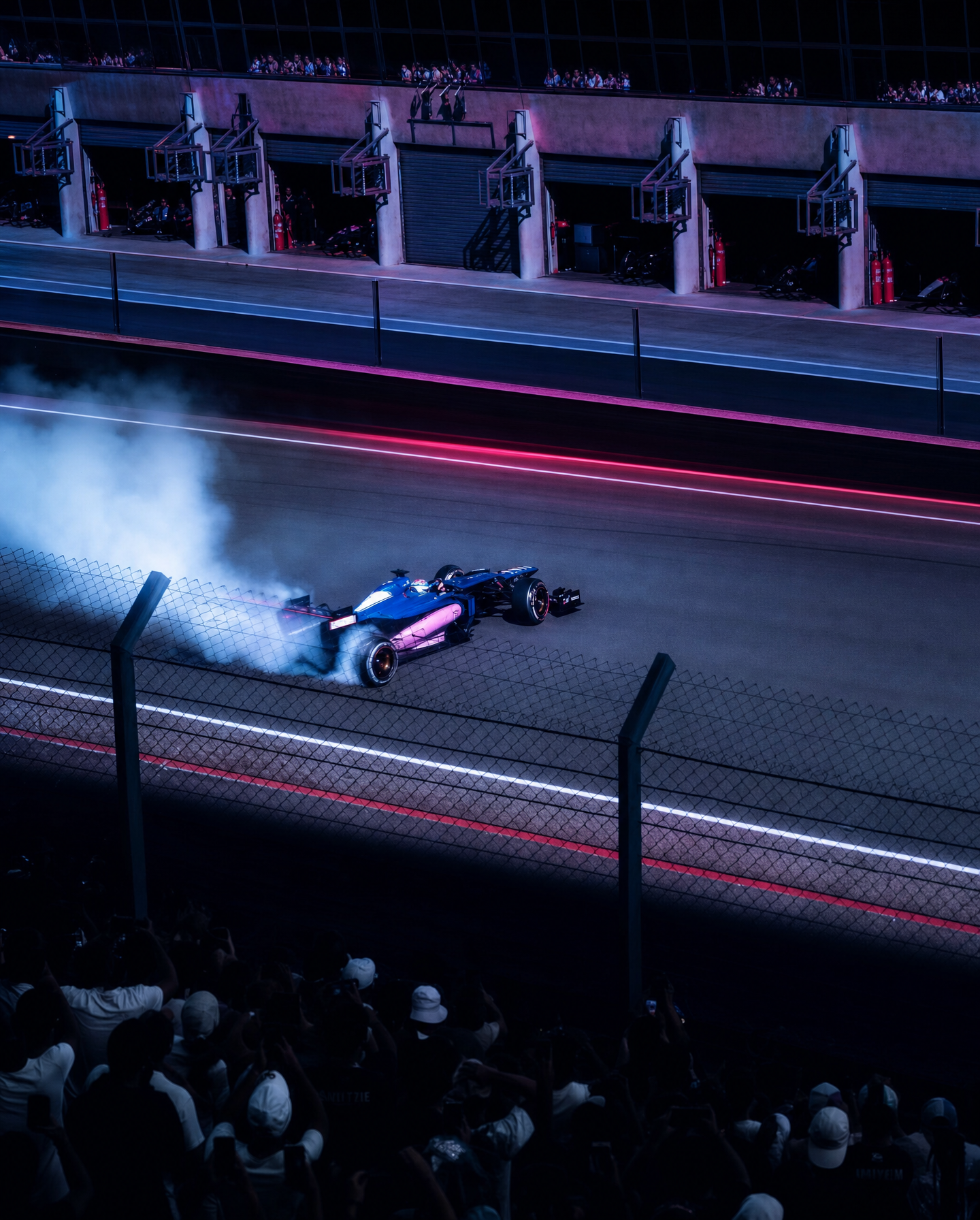
The wide, track-level framing makes the drifting Formula car read against the full corner, while “trackside safety fence in the foreground” adds layered depth and a spectator-side viewpoint. “Longer exposure light-streak effect” supplies speed, but “keeping crisp tire smoke and track detail” prevents the car’s motion from dissolving into a blur. The floodlit night setting, “cooler blue-magenta color grading,” and “stronger rim lighting along the car body” produce the blue, gray, pink, and black palette while sharply outlining the chassis against the dark circuit.
FAQ
→How do I make the car more prominent and reduce the sense of a wide establishing shot?
Replace “wide-shot” with “medium telephoto three-quarter shot” and change “capturing tire smoke trails” to “car filling most of the frame, front wing and rear tires dominant.” Keep “trackside safety fence in the foreground,” but specify “fence softly out of focus” so it adds depth without competing with the car.
→How do I make the scene feel darker and more suspenseful instead of brightly floodlit?
Replace “Floodlit night” with “sparse overhead circuit lighting with deep shadow between pools of light,” and change “cooler blue-magenta cinematic color grading” to “near-black blue grading with restrained magenta highlights.” Retain “strong rim lighting along the car body,” but add “narrow, high-contrast rim light” to preserve the silhouette.
→How do I build a matching series with different corners and cars while preserving this visual treatment?
Keep the phrases “longer exposure light-streak effect,” “crisp tire smoke and track detail,” “strong rim lighting along the car body,” and “realistic motorsport photography” unchanged. Swap “Formula racing car” for a specific subject such as “GT3 endurance car” and replace “night race circuit corner” with a named variation such as “rain-soaked hairpin at a mountain circuit,” then adjust “grandstands and pit lane garages” to the location’s relevant background elements.
Learn the technique behind this
- Why can't AI spell, and how do I get readable text in an image? — Older diffusion models had no character-level representation of text, so they produced letterform-shaped texture instead of words.
- How should a prompt be structured, and does word order matter? — A prompt that behaves predictably names one subject first, then what it is doing, then where, then the light, then the lens or medium, then the style.
- Why does the model ignore parts of my prompt? — Ignored instructions are almost always conflicts, counts, or spatial relationships — three things current models handle badly — rather than the model failing to read you.
Related prompts
Shirtless Man, Vintage Car, Coastline Light
Golden-hour couple rides a classic bike
Golden-hour Matcha Sips in Luxury SUV
Young model in studio by sports car