Same prompt, generated with each model separately — click one to see how it holds up.
Why this works
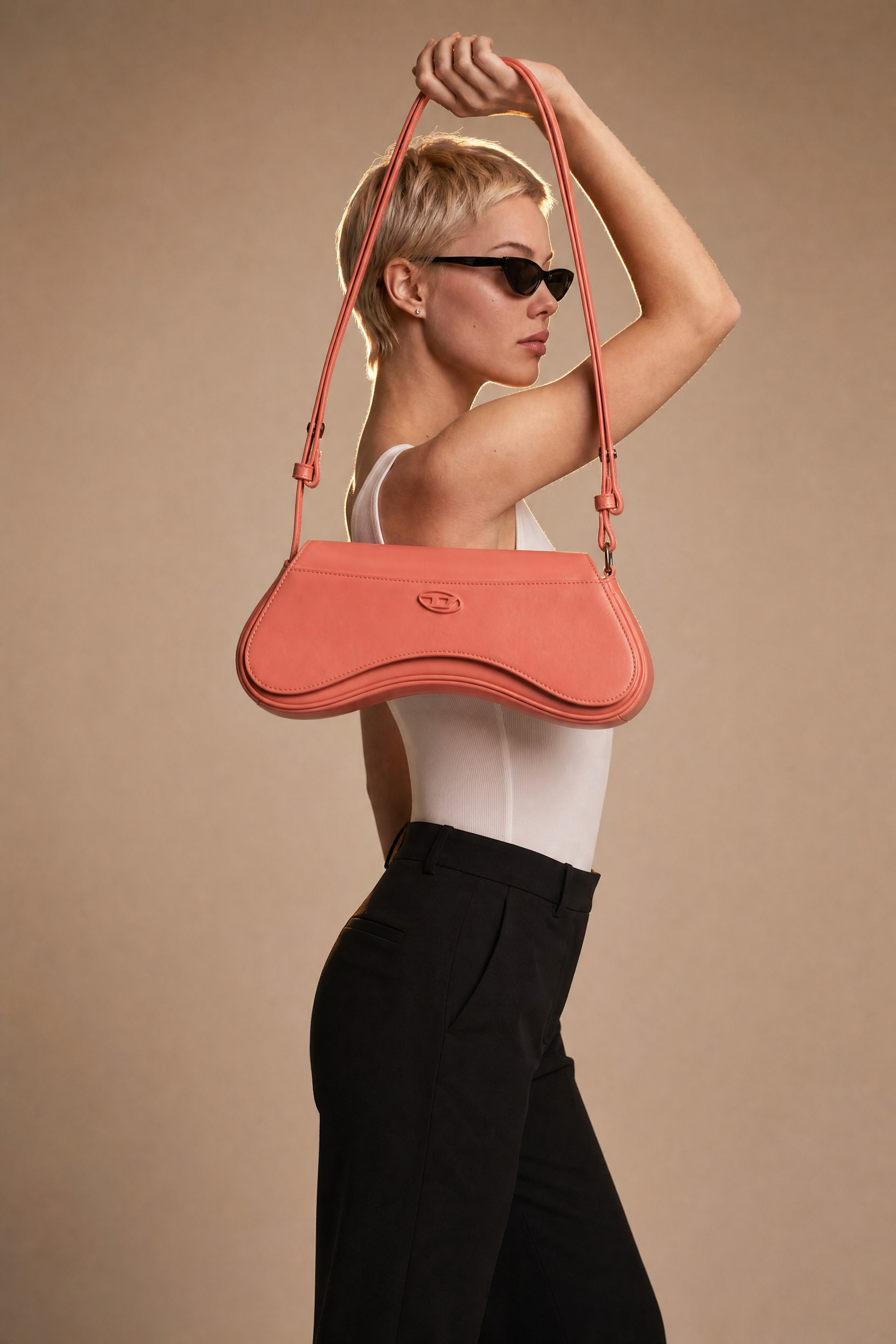
The profile pose and “modern editorial composition” create a controlled full-body fashion silhouette, while the “white fitted sleeveless bodysuit and black high-waisted trousers” provide strong graphic contrast against the “clean warm-beige seamless background.” The medium soft coral bag supplies the dominant pink accent and becomes the focal color because it is explicitly “resting on her shoulder,” near the model’s upper body. “Rim lighting for subtle separation” keeps the dark trousers and blonde hair distinct from the beige backdrop without breaking the minimalist luxury advertising aesthetic.
FAQ
→How do I make the coral shoulder bag more prominent?
Replace “medium soft coral designer shoulder bag resting on her shoulder” with “large vivid coral designer shoulder bag held across the torso, prominently centered in the frame,” and add “bag as the primary focal point.” Keep “portrait-full-body” if you want the outfit visible, or change it to “three-quarter fashion portrait” for more bag detail.
→How do I shift this from sleek studio minimalism to a moodier editorial image?
Replace “clean warm-beige seamless background” with “deep charcoal seamless studio background,” and change “rim lighting for subtle separation” to “dramatic side lighting with controlled shadows and a narrow rim light.” Swap “minimalist luxury advertising aesthetic” for “moody high-fashion editorial aesthetic” to support the darker tone.
→How do I create a series of variations while keeping the same fashion identity?
Keep “short-haired blonde model,” “white fitted sleeveless bodysuit,” and “black high-waisted trousers” unchanged, then vary one controlled phrase per image: replace “soft coral” with “cobalt blue,” “emerald green,” or “metallic silver,” and replace “warm-beige seamless background” with “cool gray,” “muted blush,” or “pale stone.” Preserve “profile,” “rim lighting,” and “crisp high-detail rendering” so the pose, separation, and commercial finish remain consistent.
Learn the technique behind this
- Why can't AI spell, and how do I get readable text in an image? — Older diffusion models had no character-level representation of text, so they produced letterform-shaped texture instead of words.
- How should a prompt be structured, and does word order matter? — A prompt that behaves predictably names one subject first, then what it is doing, then where, then the light, then the lens or medium, then the style.
- Why does the model ignore parts of my prompt? — Ignored instructions are almost always conflicts, counts, or spatial relationships — three things current models handle badly — rather than the model failing to read you.
Related prompts
Cobalt Boots in Sleek Studio Edit
Teal fashion editorial in monster-filled lift

Sunlit editorial on striped beach towel
Silhouette Influencer by Sunlit Window