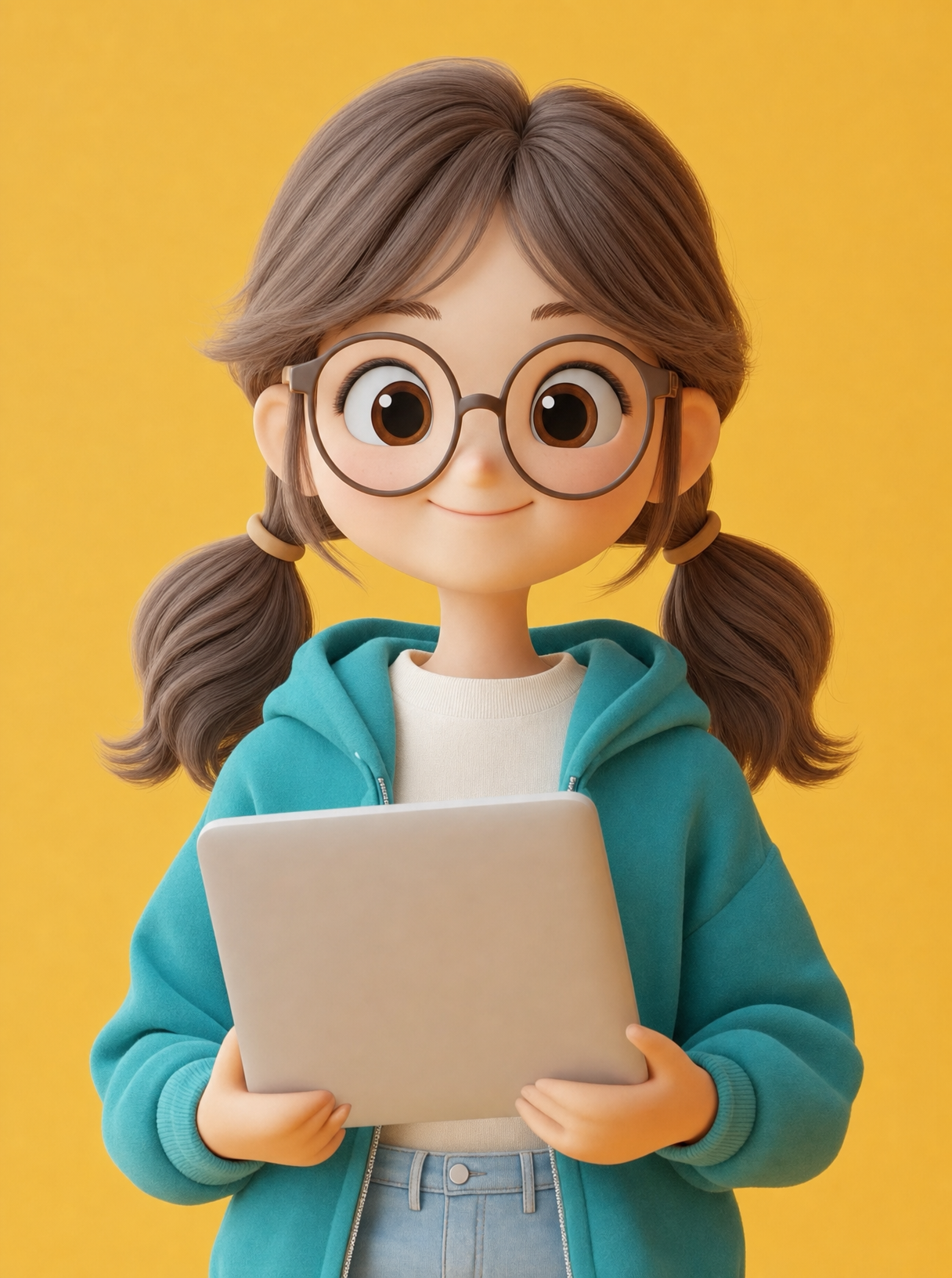
Why this works
“Centered portrait framing” and “centered in frame” give the girl immediate visual priority, while “holding a silver laptop” adds a clear character-and-object narrative. The teal hoodie against the warm golden background creates color harmony through the specific contrast between cool teal and yellow-beige warmth, with the black pigtails and brown-toned details grounding the palette. “Soft studio lighting,” “clean minimal composition,” and “photorealistic 3D cartoon render” produce an evenly polished, friendly full-body portrait rather than a dramatic or cluttered scene.
FAQ
→How do I make the laptop more prominent than the girl’s clothing?
Replace “holding a silver laptop” with “presenting an oversized silver laptop toward the camera, laptop clearly visible in the foreground,” and change “centered in frame” to “girl and laptop centered, laptop occupying the lower center of the frame.” Keep “portrait-full-body” if you still want the entire figure visible, but expect the laptop to become a stronger compositional anchor.
→How do I shift this from cheerful and warm to a cooler, more focused technology mood?
Replace “Warm golden background with soft studio lighting” with “cool blue-gray background with crisp directional studio lighting,” and replace “cheerful modern aesthetic” with “focused contemporary technology aesthetic.” Change the teal hoodie to “deep navy hoodie” to reduce the warm teal-and-gold contrast while preserving the clean 3D cartoon style.
→How do I create a series of matching portraits with different subjects?
Keep the fixed structure “centered portrait framing,” “clean minimal composition,” “soft studio lighting,” and “photorealistic 3D cartoon render,” then replace “cute young girl holding a silver laptop” with variations such as “young boy holding a tablet,” “friendly teacher holding a stack of books,” or “small robot holding a glowing smartphone.” Retain “Warm golden background” and the same full-body portrait framing so the subject changes while the visual system stays consistent.
Learn the technique behind this
- Why can't AI spell, and how do I get readable text in an image? — Older diffusion models had no character-level representation of text, so they produced letterform-shaped texture instead of words.
- How should a prompt be structured, and does word order matter? — A prompt that behaves predictably names one subject first, then what it is doing, then where, then the light, then the lens or medium, then the style.
- Why does the model ignore parts of my prompt? — Ignored instructions are almost always conflicts, counts, or spatial relationships — three things current models handle badly — rather than the model failing to read you.
Related prompts
Open-Frame Futuristic PC With Blue LEDs

Magenta-Cyan Hands Nearly Touch

Magenta-Cyan Holographic Control Room

Blue holographic cube on server room pedestal