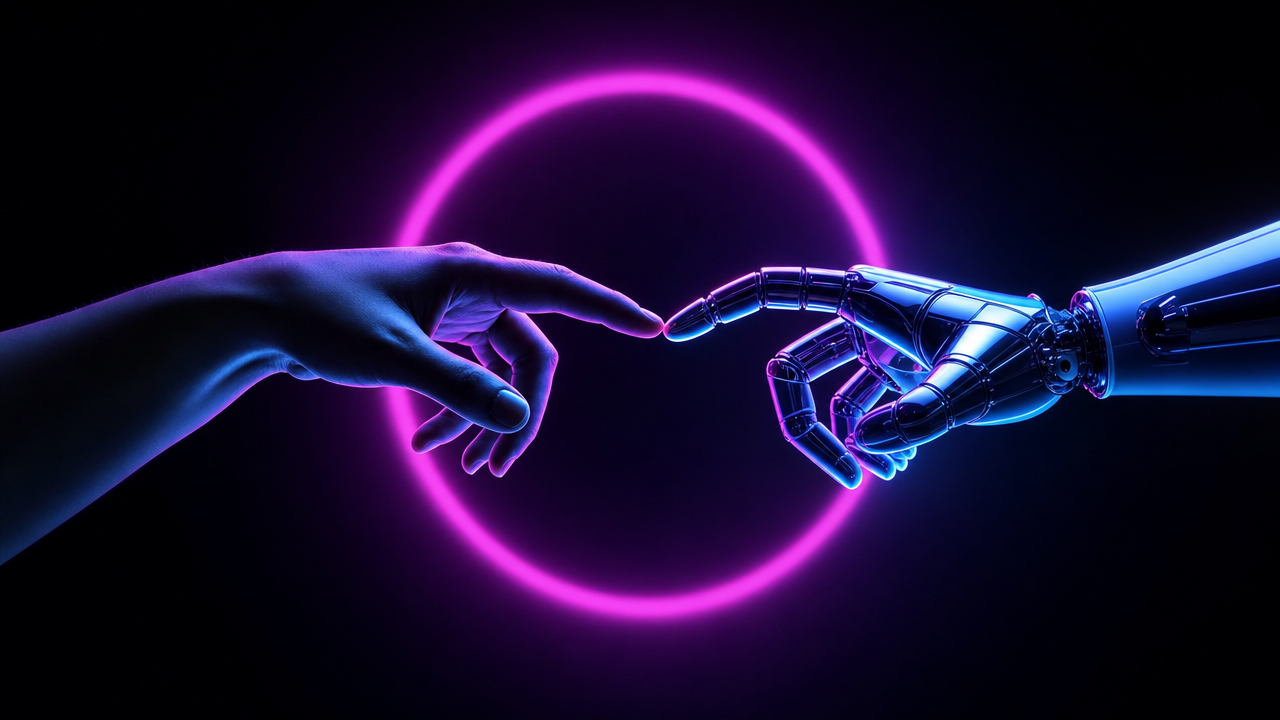
Why this works
The phrase “human hand and a sleek mechanical robotic hand reaching toward each other” gives the centered composition a clear visual axis, while “fingertips almost touching” concentrates attention on the narrow gap between them. “Magenta-purple and electric cyan rim lighting” separates skin from metal with contrasting edge color, and “soft magenta halo ring behind the hands” reinforces the symmetrical focal point against the “dark minimalist background.” “Sleek cinematic close framing with shallow depth of field” keeps the fingertips dominant, while “detailed skin micro-texture and glossy metal specular highlights” makes the near-contact feel tactile and photorealistic.
FAQ
→How do I make the moment feel more tense and emotionally charged?
Replace “delicate near-contact moment” with “tense suspended moment before contact, charged with anticipation,” and change “soft magenta halo ring” to “narrow, sharply defined magenta halo ring.” Keep “fingertips almost touching,” but add “visible tension in the human fingers and precisely poised robotic joints” to make the gesture less gentle.
→How do I make the robotic hand more visually prominent?
Change “a human hand and a sleek mechanical robotic hand” to “a human hand reaching toward a larger, intricately engineered robotic hand,” and replace “subtle skin micro-texture” with “exposed servos, layered titanium plates, and intricate joint mechanisms.” Shift the lighting phrase to “electric cyan rim lighting strongest along the robotic silhouette, with restrained magenta light on the human hand” so the machine receives the dominant edge definition.
→How do I turn this into a series of related technology-concept images?
Keep the fixed phrases “dark minimalist background,” “photorealistic futuristic tech concept,” and “magenta-purple and electric cyan rim lighting,” then vary only the subject and gesture. Replace “human hand and a sleek mechanical robotic hand” with options such as “human eye and synthetic camera lens,” “bare human foot and articulated prosthetic foot,” or “human face and humanoid android face,” while replacing “fingertips almost touching” with “gazes aligned,” “toes nearly meeting,” or “faces separated by a narrow gap.”
Learn the technique behind this
- Why can't AI spell, and how do I get readable text in an image? — Older diffusion models had no character-level representation of text, so they produced letterform-shaped texture instead of words.
- Why does AI get hands and faces wrong, and how do I fix it? — Hands fail because they're small in frame, extremely variable in pose, and self-occluding — the model has less usable signal per pixel than for any other body part.
- Why does the model ignore parts of my prompt? — Ignored instructions are almost always conflicts, counts, or spatial relationships — three things current models handle badly — rather than the model failing to read you.
Related prompts
Open-Frame Futuristic PC With Blue LEDs

Magenta-Cyan Holographic Control Room

Blue holographic cube on server room pedestal

DJ in neon haze at low angle