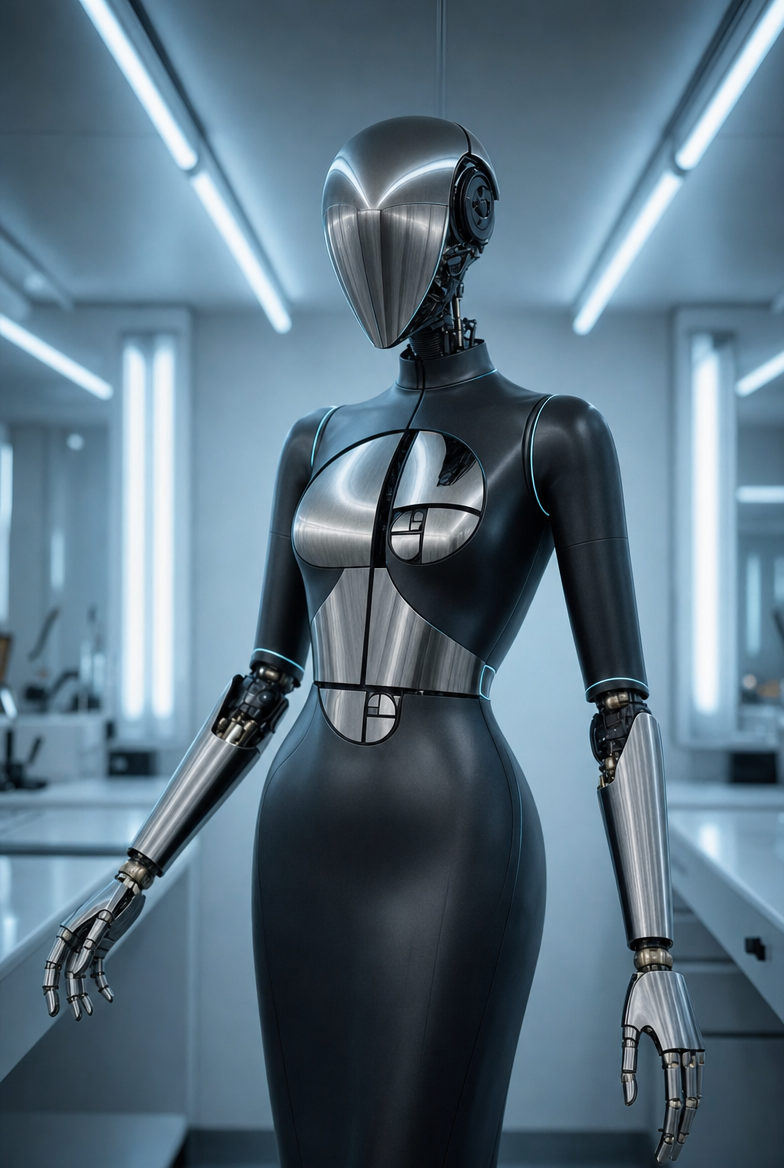
Why this works
The sleek, sterile mood comes from the combined phrases “clean sterile lab with minimal clutter,” “cool blue ambient lighting,” and “soft overhead LED panel lighting,” while “matte graphite-black” and “subtle cyan edge lighting” give the robot a controlled black-and-sky-blue color hierarchy. “Symmetrical product-shot composition” makes the full-body portrait feel engineered and centered, and “shallow depth of field” keeps attention on the robot rather than the laboratory. Material realism is anchored by “brushed steel chrome,” “ultra-detailed realistic materials,” and “physically accurate reflections,” which preserve metallic definition without making the head and forearms mirror-like.
FAQ
→How do I make the robot feel more imposing and central?
Replace “Symmetrical product-shot composition” with “low-angle centered hero composition,” and change “portrait-full-body” to “full-body low-angle shot with expanded negative space above.” Add “broad-shouldered stance” or “robot filling most of the vertical frame” to increase perceived scale.
→How do I change the sterile blue mood into a warmer, more cinematic tone?
Replace “cool blue ambient lighting with soft overhead LED panel illumination” with “warm amber rim lighting mixed with deep red practical lights.” Change “sky-blue” cyan edge lighting to “muted orange edge lighting,” while keeping “clean sterile laboratory” if you want the warmer palette to contrast with the clinical setting.
→How do I build a variation where the laboratory becomes more prominent?
Replace “shallow depth of field” with “deep depth of field with the entire laboratory in sharp focus,” and change “minimal clutter” to “organized laboratory equipment, glass consoles, and illuminated diagnostic screens.” Keep “symmetrical product-shot framing,” but add “robot slightly off-center in a wide environmental composition” so the setting carries more visual information.
Learn the technique behind this
- Why can't AI spell, and how do I get readable text in an image? — Older diffusion models had no character-level representation of text, so they produced letterform-shaped texture instead of words.
- How do I keep the same character across multiple images? — Text prompts alone won't hold a face across images — a description defines a type, not a person.
- Why does the model ignore parts of my prompt? — Ignored instructions are almost always conflicts, counts, or spatial relationships — three things current models handle badly — rather than the model failing to read you.
Related prompts
Open-Frame Futuristic PC With Blue LEDs
Magenta-Cyan Hands Nearly Touch

Magenta-Cyan Holographic Control Room

Blue holographic cube on server room pedestal