Why this works
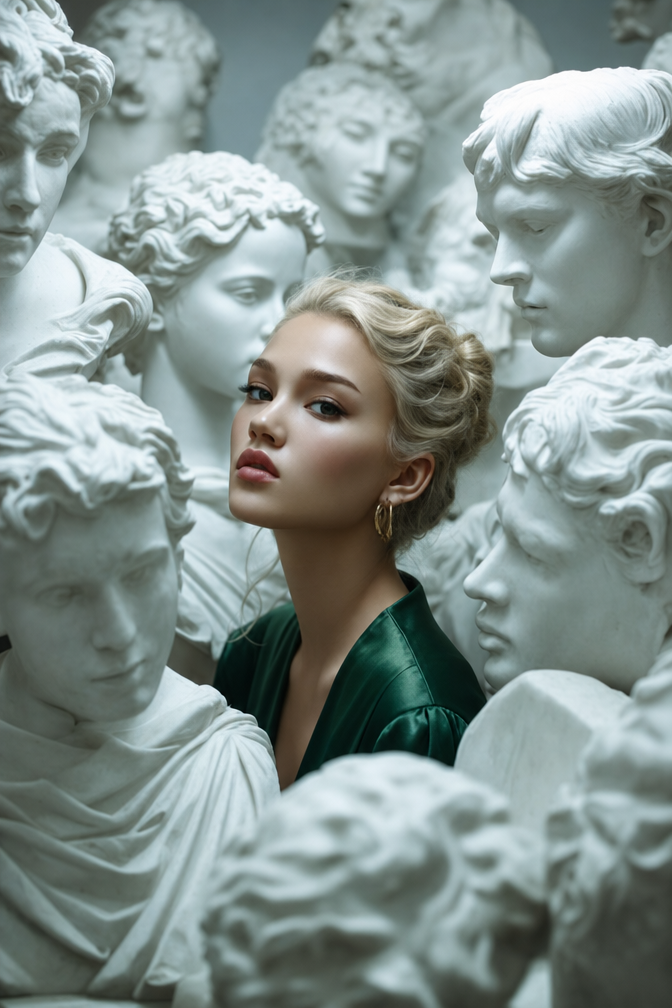
The tightly framed fashion-editorial portrait and cinematic depth of field make the blonde woman the immediate focal point, while the surrounding busts remain legible as a repeating surreal backdrop rather than competing subjects. The contrast between the deep emerald satin dress and the white marble establishes the image’s gray-and-green color harmony, while “cool, soft ambient lighting with gentle rim highlights” gives the skin and stone a restrained, introspective tone. “High-detail skin and stone surfaces” is load-bearing for the hyper-realistic effect, preserving tactile pores, satin sheen, and marble texture within the close portrait crop.
FAQ
→How do I make the woman more visually dominant than the marble heads?
Keep “tightly framed composition” but replace “among numerous white marble busts and sculpted female heads” with “a single blurred marble bust in the distant background,” and add “sharp focus exclusively on her eyes and emerald dress.” This reduces competing faces while preserving the museum setting.
→How do I shift this from cool and introspective to warmer and more dramatic?
Replace “cool, soft ambient lighting with gentle rim highlights” with “warm directional spotlighting from camera left, deep sculptural shadows, and a narrow golden rim light,” and change “cool color palette” and “subtle film-like color grading” to “warm amber and burgundy palette with rich cinematic contrast.”
→How do I build a series of variations without losing the visual identity?
Keep “hyper-realistic fashion editorial photography,” “high-detail skin and marble texture,” “deep emerald satin dress,” and “tightly framed composition” unchanged. Swap only the setting phrase, such as replacing “surreal, museum-like gallery” with “abandoned neoclassical conservatory,” “moonlit marble archive,” or “ornate black-stone sculpture hall,” while matching each version with a specific lighting phrase like “diffused moonlight” or “dramatic overhead gallery light.”
Learn the technique behind this
- Why can't AI spell, and how do I get readable text in an image? — Older diffusion models had no character-level representation of text, so they produced letterform-shaped texture instead of words.
- Why does AI get hands and faces wrong, and how do I fix it? — Hands fail because they're small in frame, extremely variable in pose, and self-occluding — the model has less usable signal per pixel than for any other body part.
- How do I keep the same character across multiple images? — Text prompts alone won't hold a face across images — a description defines a type, not a person.
Related prompts
Cobalt Boots in Sleek Studio Edit
Teal fashion editorial in monster-filled lift
Sunlit editorial on striped beach towel
Silhouette Influencer by Sunlit Window