Same prompt, generated with each model separately — click one to see how it holds up.
Why this works
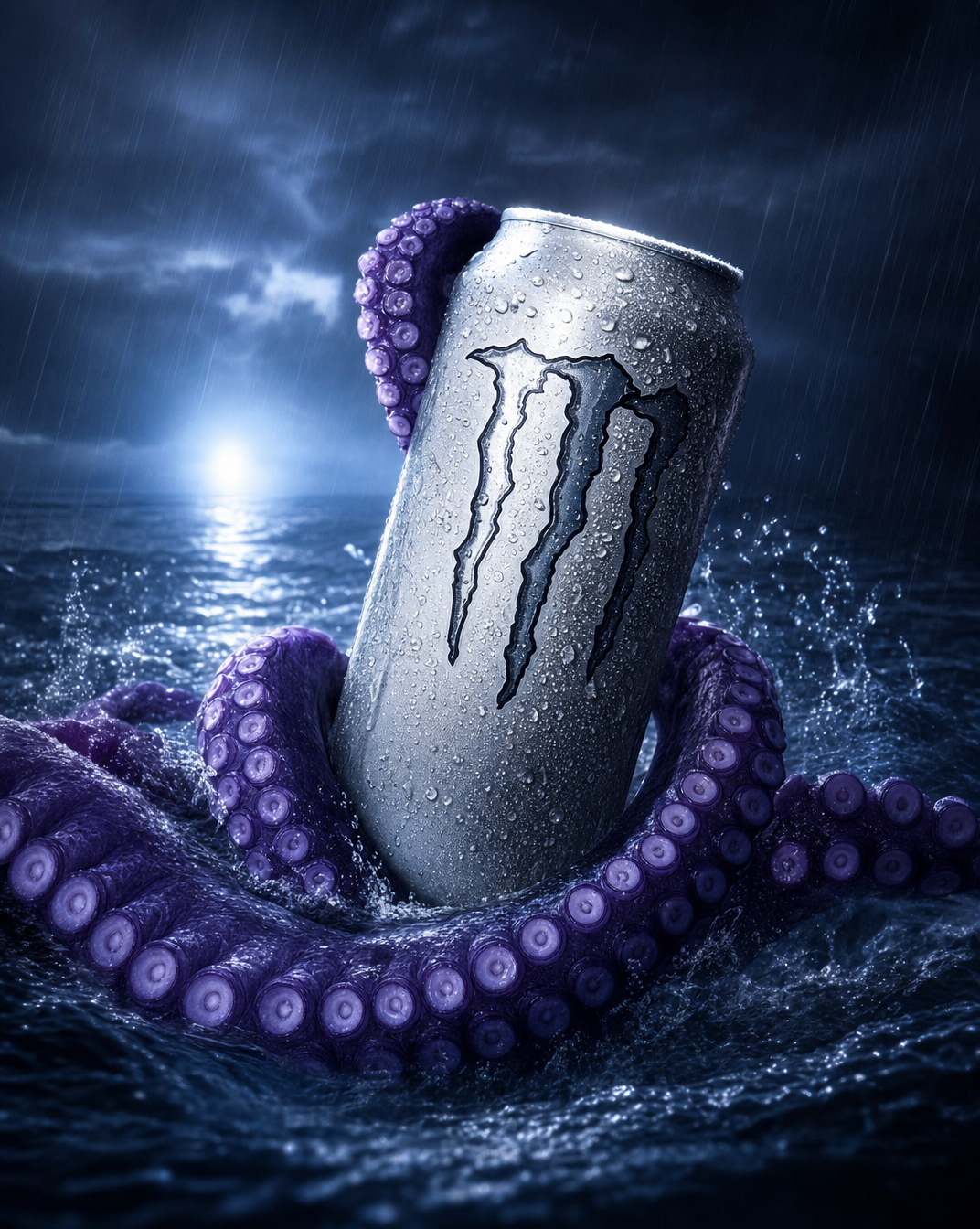
The centered close product framing makes the silver can the visual anchor, while “giant purple octopus tentacles” creates an unusual enclosing grip around it. The storm mood comes from “churning rough ocean water,” “heavy rain,” and a “low, dark horizon lit by a single blue-white flare,” with gray, black, blue, and purple reinforcing the dramatic palette. “Crisp specular highlights,” “salt-crusted droplets,” “high-contrast advertising lighting,” and “shallow depth of field” give the can a polished commercial focus against softer, chaotic water and frozen splashes.
FAQ
→How do I make the can more dominant and easier to read?
Replace “Close product framing toward the can” with “extreme close-up hero framing, can occupying 70% of the image,” and change “shallow depth of field” to “sharp focus across the entire can label, background heavily blurred.” Keep “crisp specular highlights on the can” and add “front-facing label fully visible, unobstructed branding.”
→How do I make the scene feel darker and more threatening?
Replace “a single blue-white flare” with “a faint cold-blue horizon glow barely penetrating black storm clouds,” and change “dramatic contrast” to “deep crushed shadows with narrow rim lighting.” Add “tentacles disappearing into near-black water” after “giant purple octopus tentacles” to reduce visible detail around the subject.
→How do I create a consistent series of variations from this prompt?
Keep “photorealistic cinematic commercial product photo,” “silver zero-sugar energy drink can,” “high-contrast advertising lighting,” and “shallow depth of field” unchanged, then swap only the environment phrase “churning rough ocean water.” Use replacements such as “black volcanic shoreline with blowing ash,” “rain-soaked neon harbor at night,” or “submerged deep-sea trench with drifting particles,” while matching each version with a new flare color such as amber, magenta, or green.
Learn the technique behind this
- Why can't AI spell, and how do I get readable text in an image? — Older diffusion models had no character-level representation of text, so they produced letterform-shaped texture instead of words.
- How should a prompt be structured, and does word order matter? — A prompt that behaves predictably names one subject first, then what it is doing, then where, then the light, then the lens or medium, then the style.
- Do negative prompts work, and what should go in one? — Negative prompts work on models that support a separate negative conditioning channel — mainly Stable Diffusion and FLUX-family models.
Related prompts
Playful brunette beauty ad portrait
Red Lip Balm with Lychee Freshness
Premium wellness pouch with golden spices
Teal-Accented Bunny Toy Studio Portrait