Why this works
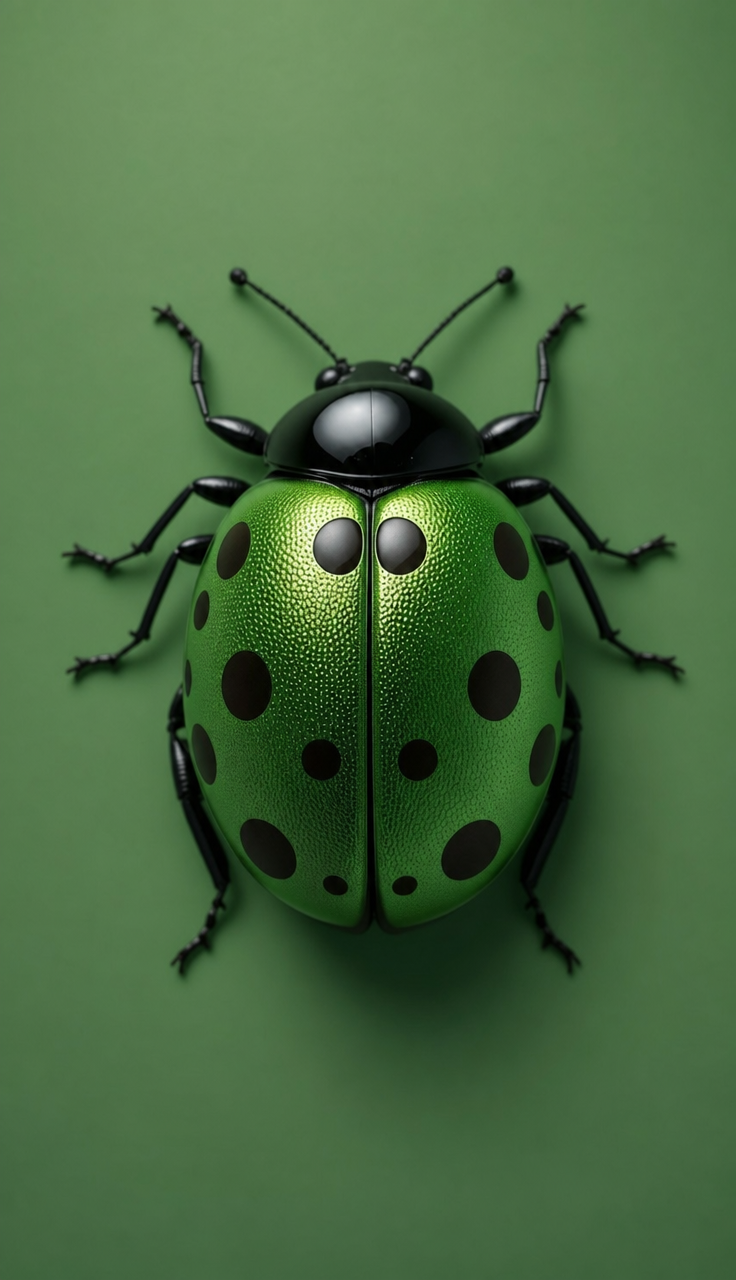
The phrase “centered macro photorealistic studio shot” makes the ladybug the sole focal point and gives the image a product-photography structure, while “ultra sharp focus” and “high-resolution micro-surface detail” preserve the fine legs, antennae, spots, and shell texture. “Glossy green” against a “smooth matte green background” creates a restrained tonal harmony, with “dark brown/black spots” and thin dark anatomy supplying the strongest contrast, reflected in the image’s dominant black read. “Clean, sleek modern mood,” “crisp studio lighting,” and “subtle soft shadow” keep the composition controlled rather than dramatic, and “metallic textured elytra” adds tactile specular detail to the shell.
FAQ
→How do I make the ladybug’s face and antennae more prominent?
Replace “centered macro product-style close-up” with “extreme macro close-up focused on the head and antennae,” and replace “centered” with “three-quarter front view.” Keep “ultra sharp focus,” but add “eyes, antennae tips, and mouthparts in critical focus” so the focal priority moves away from the full shell.
→How do I change the clean modern mood into a darker, more dramatic image?
Replace “clean studio lighting with subtle soft shadow” and “crisp studio lighting” with “dramatic low-key side lighting, deep black background, and a narrow rim light.” Replace “smooth matte green background” with “charcoal-black matte background,” while keeping “glossy green” and “metallic textured elytra” to preserve reflective highlights on the ladybug.
→How do I create a coordinated series with different ladybug colors?
Keep “centered macro photorealistic studio shot,” “minimalist composition,” and “ultra-sharp, high-resolution micro-surface detail” unchanged across every prompt. Swap “glossy green ladybug” and “smooth matte green background” as a matched pair, such as “glossy red ladybug” with “smooth matte burgundy background,” or “glossy blue ladybug” with “smooth matte cobalt background,” while retaining “dark brown/black spots” for a consistent graphic accent.
Learn the technique behind this
- Why can't AI spell, and how do I get readable text in an image? — Older diffusion models had no character-level representation of text, so they produced letterform-shaped texture instead of words.
- How should a prompt be structured, and does word order matter? — A prompt that behaves predictably names one subject first, then what it is doing, then where, then the light, then the lens or medium, then the style.
- Do negative prompts work, and what should go in one? — Negative prompts work on models that support a separate negative conditioning channel — mainly Stable Diffusion and FLUX-family models.
Related prompts
Playful brunette beauty ad portrait
Red Lip Balm with Lychee Freshness
Premium wellness pouch with golden spices
Teal-Accented Bunny Toy Studio Portrait